Make an invoice
Your worked shifts, priced at the rates each family agreed, one invoice per family.
Where to do it: Your phone or a laptop.
Get the Shiftaroo app
Free for support workers. Sign in with your mobile number and your shifts are there.
Step by step
-
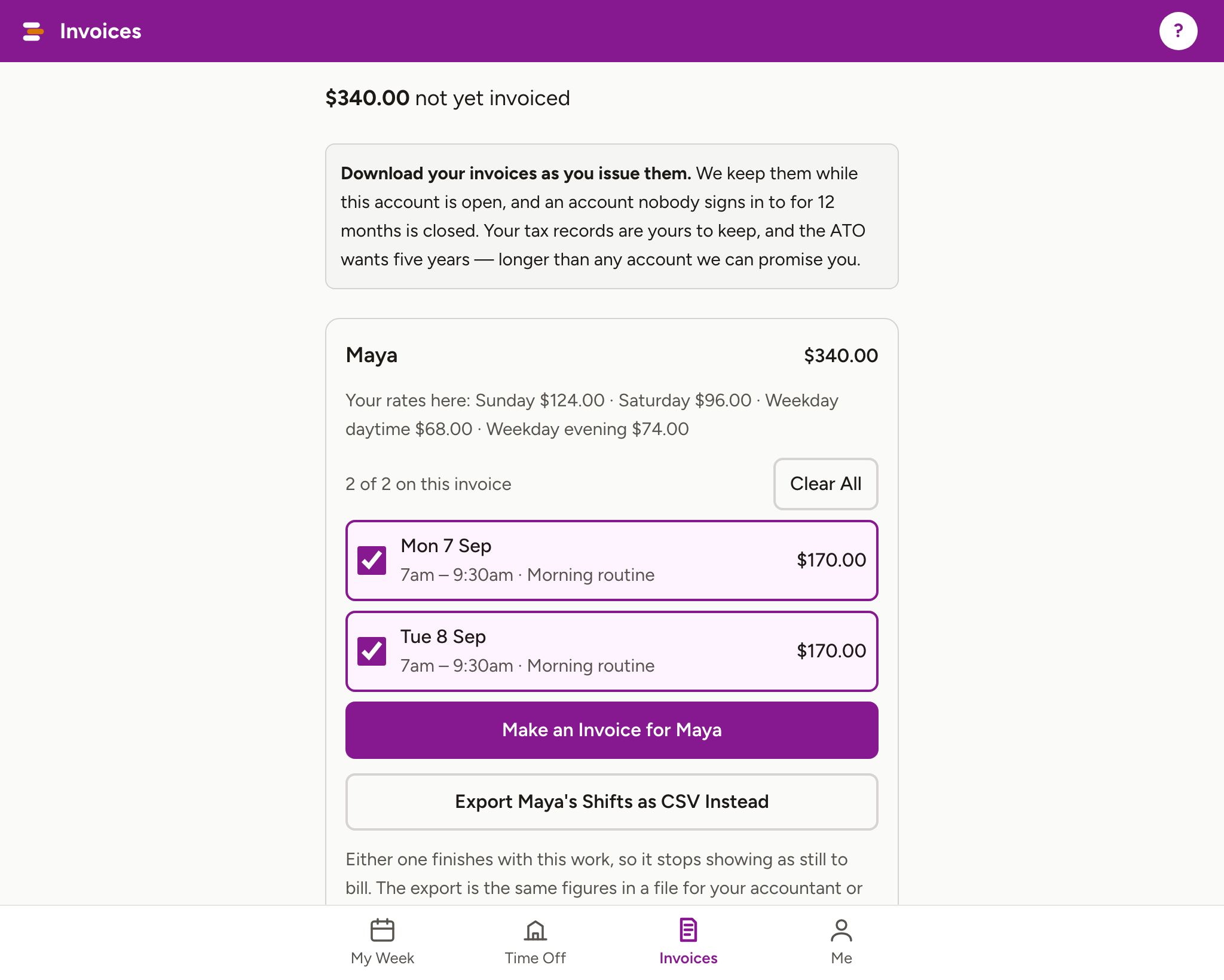
Open Invoices. Shifts you have worked and not yet billed are listed per family, each with a tick already on.
-
Untick anything you are not billing this time.
-
Press Make an Invoice for that family. It carries the NDIS item codes and the hours per time band, priced from the rates that family set.
-
Or press Export as CSV Instead if your accountant or your own software does this part. Either one marks those shifts as billed.
-
Your invoices are listed underneath, by financial year, with Download Everything for a CSV of the lot.
Worth knowing
- Download invoices as you issue them. They are tax records and the ATO wants five years.
- A shift shows no price if the family has not set your rate for that time band. Ask them to set it under Your Team.
- Paid through an agency or a platform? The family can mark you Paid another way, and those shifts will not appear here to bill. That is correct.
- Three downloads: the plain CSV for a spreadsheet or your accountant, a Xero file in Xero's own import layout, and a QuickBooks file in theirs. Hnry has no import — you raise invoices inside Hnry — and MYOB Business does not import sales, so for those the figures are what you use.
- Shiftaroo does no payroll, tax or super, and claims nothing from the NDIA. You and the family stay responsible for what you send and pay.
More for for support workers
Still stuck?
Email support@shiftaroo.app and a person will reply.