The roster for participants and families who hire their own support workers.
Lay out your week, tell everyone who's on, and change it when Tuesday changes. Built for rosters of two to eight support workers — not for agencies, and not for anyone who needs a training course to use it.
14 days free. No card to start. Free for support workers.
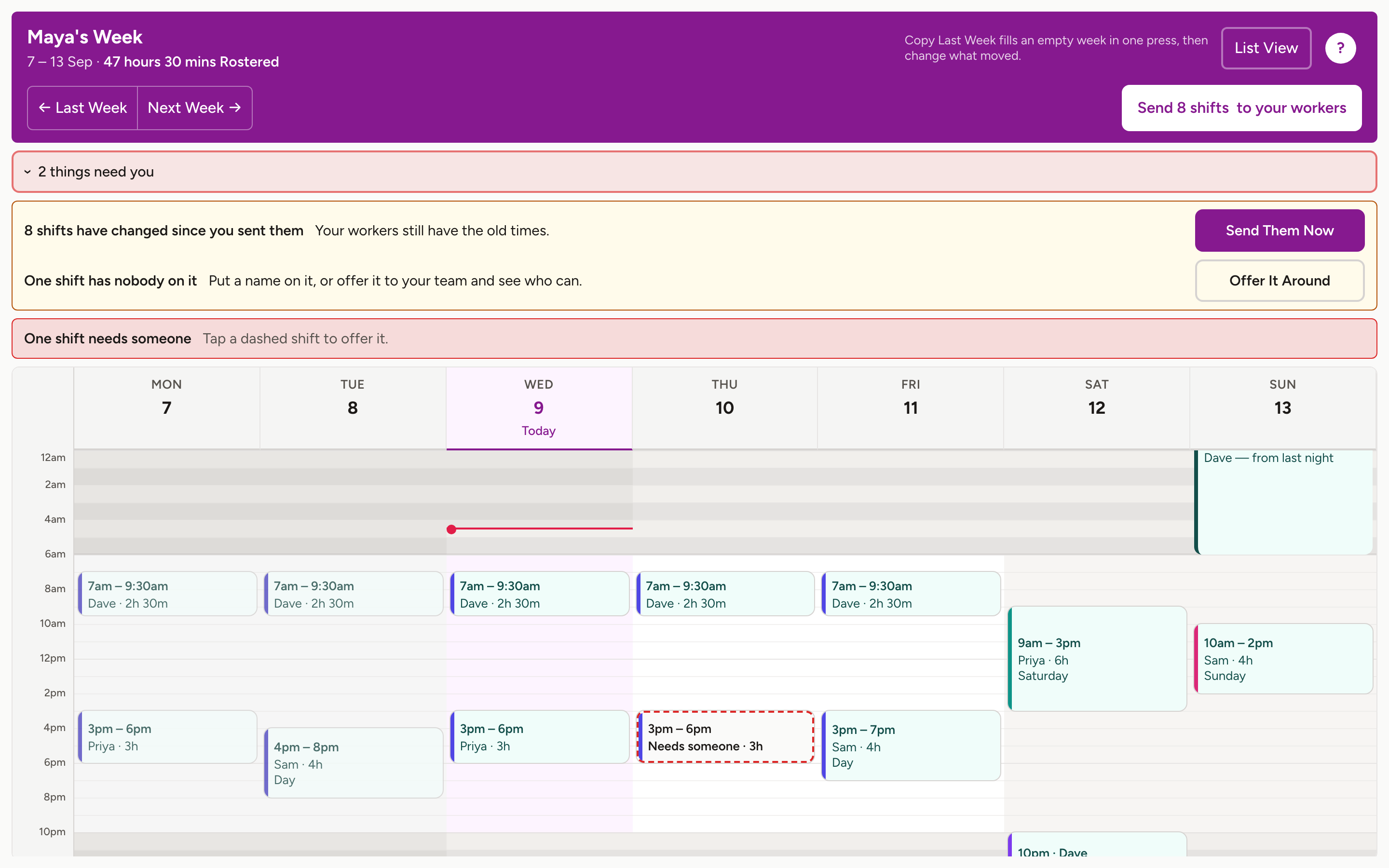
What you actually do with it
Draw the week
Pull down a day to make a shift, then say who it's for. Once, really — after that it's mostly copying.
Copy last week
One button. Move the two shifts that moved, fill the gap where someone's away, send it. That's a normal week.
Change it on the day
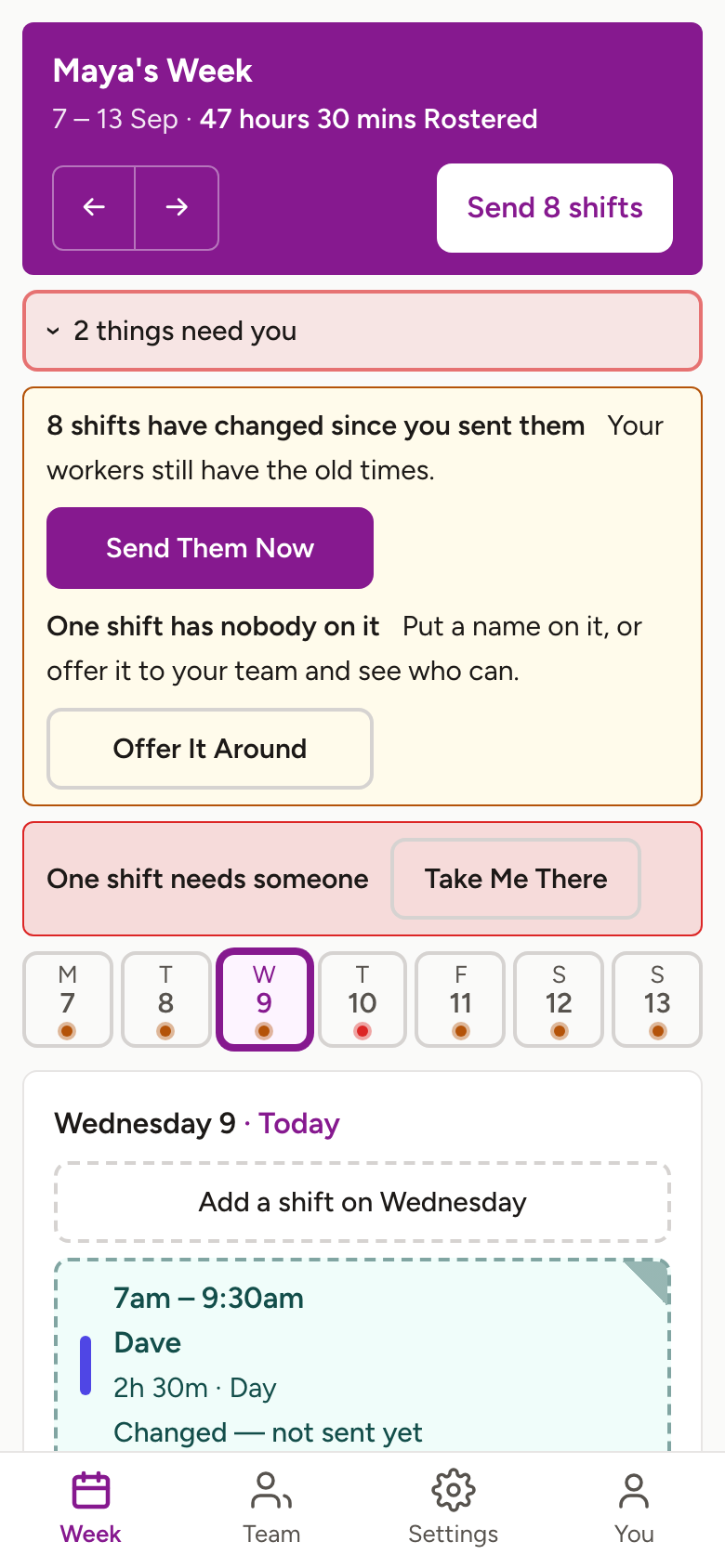
Someone's sick at 7am. Move a shift, swap who's on, ask the others — from your phone, standing in the kitchen.
Here's a week happening
This is the app, not an animation of it: an empty week, one press to copy the week before, one press to send it. That's the whole job.
Most of it happens on a phone
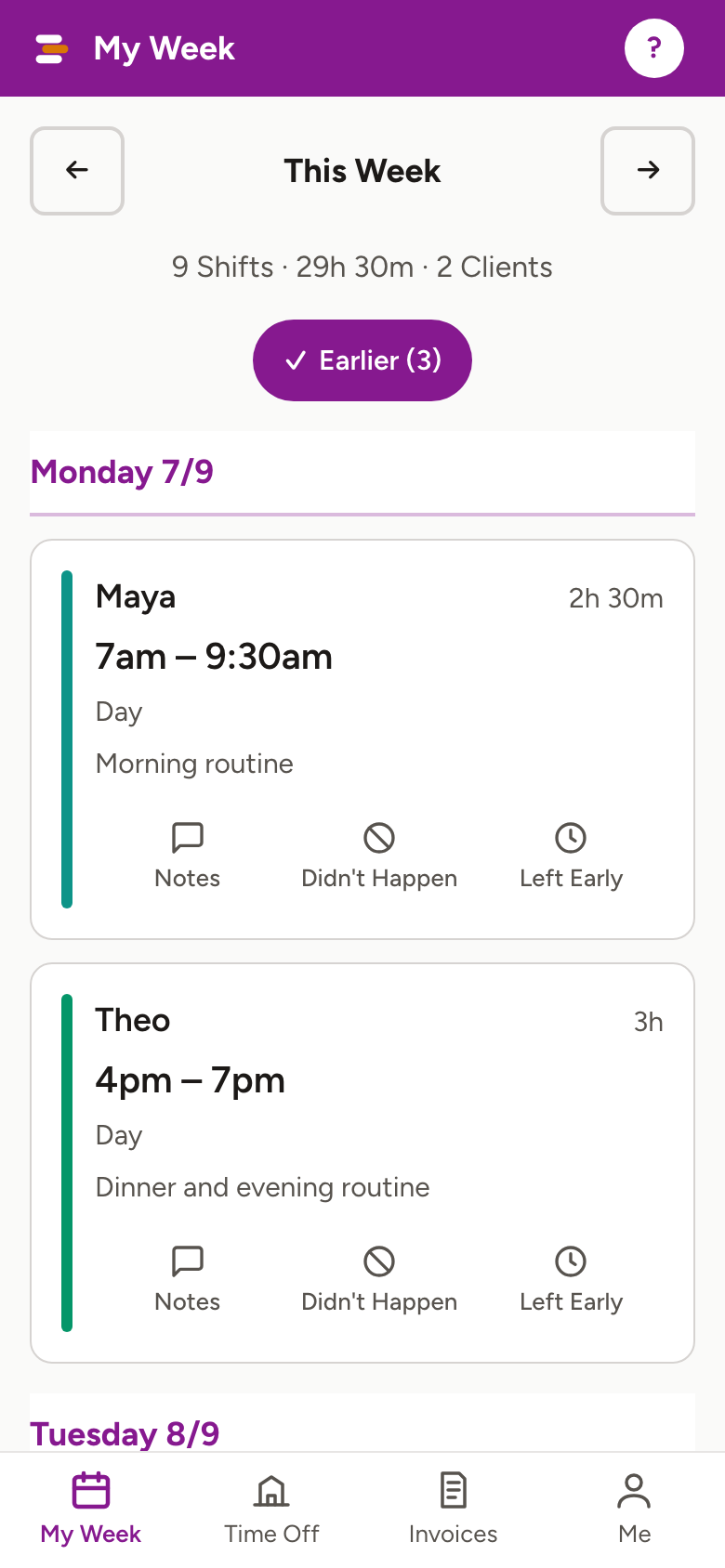
And the rest of an ordinary fortnight
Someone's away
A worker books time off and their shifts show as needing somebody. Ask one worker, a few, or everyone — and you choose who gets it, rather than whoever answers first.
Everyone finds out by themselves
Send the week and the people on it are told. Change a shift on the day and the person it belongs to hears about that too. Nobody rings around.
A new worker doesn't hold you up
Invite somebody and they're on your week that second, marked as not joined yet. Put them on shifts tonight. When they sign up — in a browser, no app needed — the shifts are already waiting for them.
Hours become an invoice
A worker's confirmed shifts can become an invoice, priced by when the work happened — weekday, evening, Saturday, Sunday, public holiday. The worker checks it before it goes anywhere.
Start from what you have
Already got a roster in a spreadsheet, a photo, or someone's old invoice? Show it to Shiftaroo and it lays out the week for you to check — you fix the two things it got wrong instead of typing thirty things it didn't.
What it isn't
Shiftaroo plans shifts. That's the whole of it, on purpose. It is not payroll, not tax or superannuation, not NDIS claiming, and not a care or medical record. It doesn't track anyone's location — there's no GPS in it and there never will be. You stay responsible for your own obligations as an employer or engager, and you should keep your own way of confirming who's coming.
A$24.95 a month, per roster — however many support workers are on it
After a 14-day free trial. Cancel any time. If a subscription stops, the roster goes read-only — everything on it stays there to read and export, and nothing is deleted because a payment didn't go through. If you'd rather we deleted it, ask and we will.
The full detailHow it's done, step by step
Questions people ask first
Whether you need an app, what happens when a worker is away, whether it tracks anyone (no, and it never will) — the short answers are all in one place.
Read the answers