Copy last week and change what moved
Most weeks are last week with two things different. This is the whole job.
Where to do it: Your phone is fine for this. It is what the phone was built for.
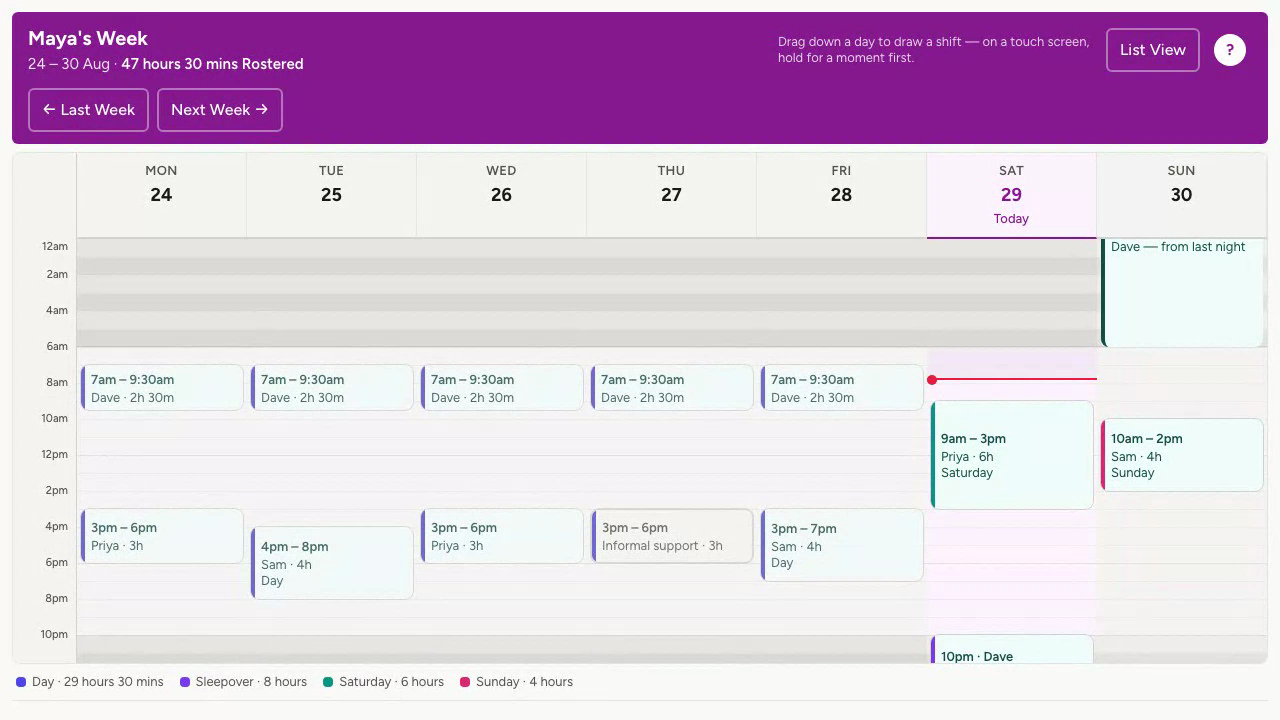
Step by step
-
Open the Week screen and tap the right arrow to go to next week.
-
Press Copy, which names the week it copies from. Every shift comes across as a draft, in the same places, with the same people.
-
Change what is different: drag a shift to a new time, tap a name to swap who is on it, or open a shift and press Delete This Shift.
-
Anything that came across with nobody on it shows as Needs someone. Put a name on it, or leave it open to ask around later.
-
Press Send. Workers hear only about shifts that are new to them.
Worth knowing
- Copy is only offered for a week that has not started yet, and only when the week before has something in it.
- Moved a shift by accident? A Put It Back bar appears over the week. Press it and the shift goes back where it was.
- On the phone the week is a list of days. Tap a day in the strip at the top to see it. The grid is on the laptop.
More for running a roster
Still stuck?
Email support@shiftaroo.app and a person will reply.